For engineering leads and platform owners
Production data access for people and AI agents
Support engineers, contractors and coding agents all need to look at real data. DataTug Perimeter is designed to give each of them exactly the access the task needs, under one set of rules, instead of a shared password and a promise.
Starts here: DevelopersAI agent buildersHelpdeskSRE and on-call+3 roles
Also useful: Data analysts (also useful)
An agent investigates order 11045 inside the Perimeter
- Agent asksWhy is order 11045 not shipped yet?
- Perimeter checks scopeOrders, Payments: read allowedOK
- ResultContactEmail •••@•••.ca maskedneeds attention
- Agent requests a changeRebook carrier for order 11045 onlyneeds attention
- Sarah approvesThis one order, for 15 minutesOK
- AuditWho asked, what ran, who approved
The problem
A support engineer needs one row to answer a customer. The quickest way is the application’s own login, which can also write. An AI coding agent needs the same row, so the connection string goes into its config or its prompt. Two weeks later nobody can say who read the customers’ emails, and the write access granted “for the incident” is still there.
Teams then build two systems: database roles and a VPN for people, and a separate gateway or a hand-made read-only replica for agents. The rules drift apart, masking is done twice or not at all, and neither side has one audit trail.
Before and after
Who: Engineering leads and platform owners

Today
4 tools2 hand-offs1 shared password
- A shared read-write login is pasted into a SQL client, a chat or an agent’s config.a password changes hands
- Sensitive columns are visible to everyone who can connect, or the data is copied and scrubbed by hand.
- Write access is granted for the whole incident and rarely taken back.
- Afterwards nobody can list what was read, what changed and who agreed to it.
With DataTug
1 workspace1 hand-offno shared password
Some steps are planned or in development.
- Reads are read-only by default, and access policies limit which sources, tables and fields may be read. Today those policies are local CLI policy files.Access policiesAvailable
- People and agents are meant to reach data through one Perimeter: reads scoped to the tables the task needs, and an agent acting for a person never allowed more than that person.DataTug PerimeterIn development
- Sensitive fields are to be masked on the server, before a value reaches a screen or a model.Meaning-driven masking on the serverPlanned
- A change becomes a request: a person approves one narrowly scoped, time-bound action, and only that action runs.Approve an investigation stepPlanned
- Every read, request and approval is to land in one audit trail you can read, for people and agents alike.Audit trail merged with provenancePlanned
Each step names the part of DataTug it relies on and that part’s status today. “Planned” and “In development” steps describe where the product is going, not what you can use now.
Today’s access policies are enforced by your local DataTug CLI: an agent that can read your machine’s DataTug configuration could get past them. Server-enforced access through one Perimeter is in development. How access policies work
One Perimeter, not two products
A person in the web app and an agent connected through the CLI or an MCP server are two identities acting on the same data. Perimeter is meant to apply the same policies, the same masking and the same approvals to both, and to write both into the same audit trail. A rule changed once is changed for everyone.
Its limits are part of the design. A Perimeter protects only the access that goes through it: an agent that also holds the database password can go around it, so the design keeps the credentials with DataTug, not with the agent. Running DataTug on your own machine does not keep data away from a model hosted in the cloud; that is why masking is planned to happen before a value reaches the model. Today’s released part is read-only access by default and local CLI policy files; the rest of this page is in development or planned, as each step is marked.
Where it meets the other solutions
 Incident Investigation An investigation needs production data. The Perimeter is designed to let a support engineer or an agent read what the case needs, masked, without a standing admin login.
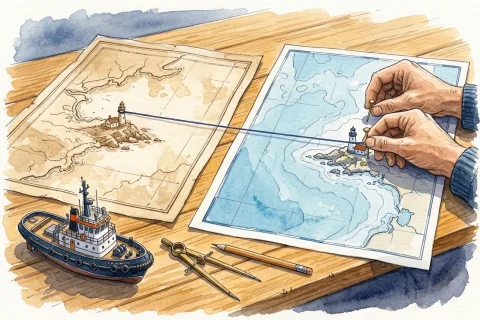 Data Understanding Masking follows meaning: a column MeaningGraph knows to be an email address is meant to be masked wherever it appears, whatever it is called.
 Data Exploration & Sharing Shared queries and dashboards stay safe to share when each one runs under the reader’s access, not the author’s.
Try it on sample data
The public demo project opens in the browser with sample Northwind and Chinook data. No sign-up.
Explore the demo project