Demo · Architecture
How the DataTug demo works
The public demo opens a real DataTug project straight from GitHub, with no account. Here is the three-minute tour, and what the app does underneath at each step.
A project is a folder in a Git repository
Data knowledge tends to live in the wrong places: a query in a chat thread, a join on one laptop, a wiki page that says what "customer" means and has not been updated since. DataTug keeps that knowledge as plain files, in a Git repository, next to the rest of your work.
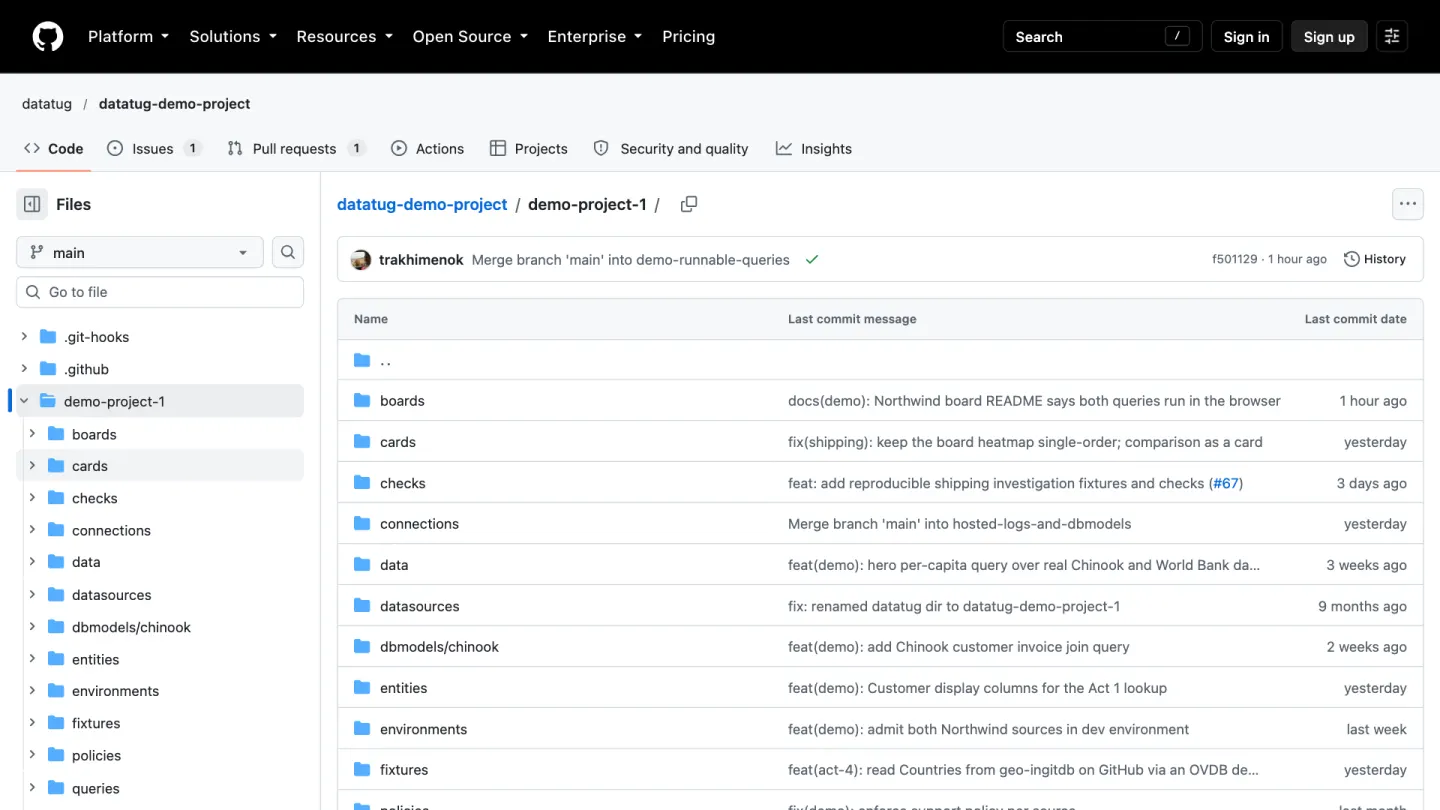
The demo is the folder demo-project-1 in the public datatug-demo-project repository. Every saved query is two files: a definition in JSON (title, connection, parameters, expected columns) and a body in SQL, TugQL or HTTP. Boards, entities, environments and database connections are files too. Changing any of them is a commit, so it can be reviewed in a pull request and versioned with your code.
Reading GitHub without an account
The app reads public repositories anonymously, so you can browse the demo without any account at all. GitHub allows 60 anonymous API calls an hour per network address, so the reader is built to spend as few as possible:
- One call names the commit.
The app asks GitHub which commit the branch points to. The answer is remembered for five minutes, across page loads.
- One call lists the whole project.
A single recursive listing of that commit answers every "what is in this folder" question. The app never walks folders one API call at a time.
- Files come from the file host, not the API.
Each file is read from
raw.githubusercontent.comat that exact commit, so a push in the middle of your visit cannot mix two versions. If that host refuses or fails, the same file is read from jsDelivr, at the same commit. - A commit is read once.
A commit's files never change, so they are kept in your browser's IndexedDB, keyed by commit, and never fetched twice. The cache is bounded: 20 MB, 20 repositories and two commits per repository, least recently used out first.
When GitHub does refuse anonymous calls, the app remembers until when, says so in the page, and stops asking until the limit resets. Anonymous reads send no credentials; the reader follows no redirects and refuses a project file larger than 256 KB.
Quick search runs on what is already loaded
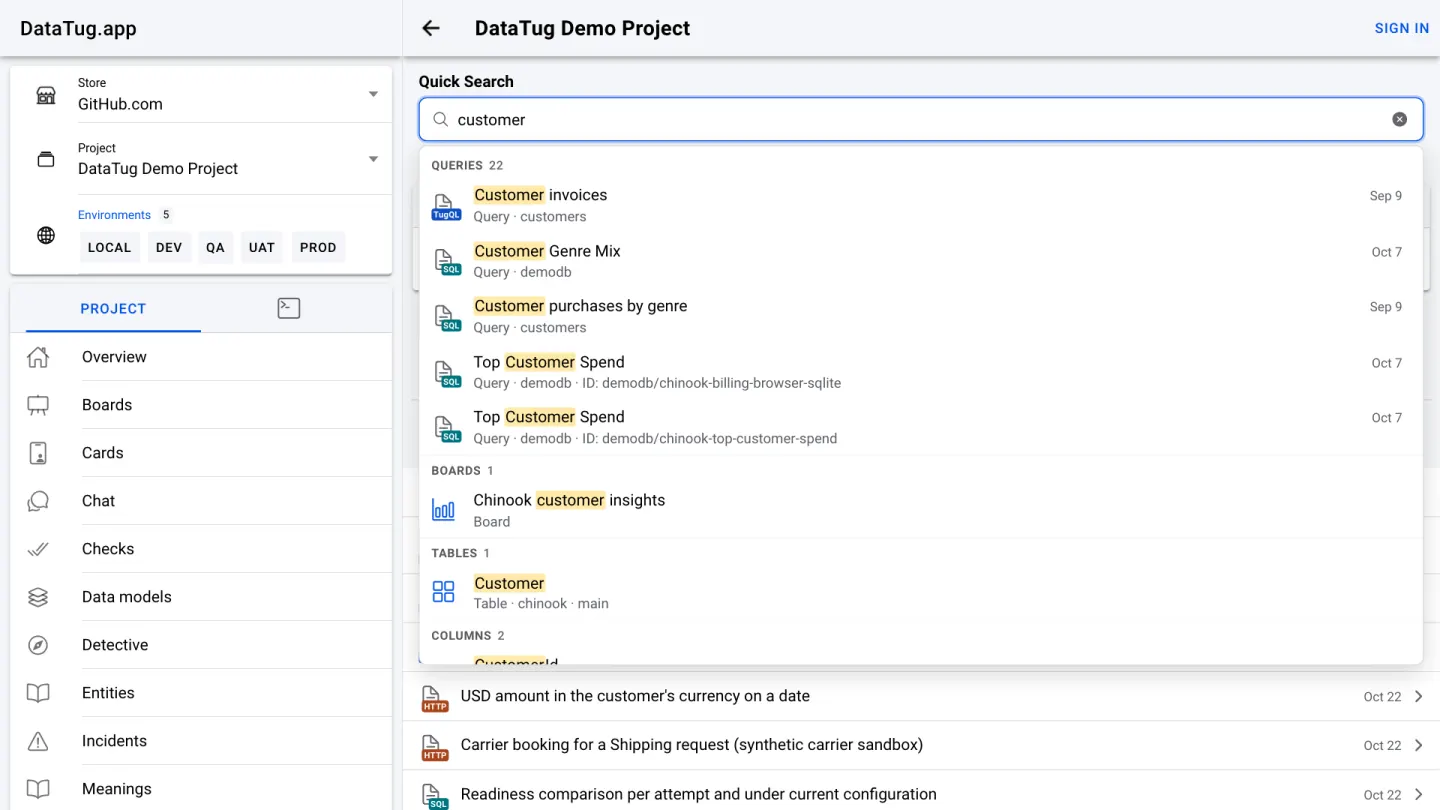
Typing "customer" in Quick Search suggests queries, a board, a table and its columns as you type. The search runs in memory, over the project metadata the app has already read to show the project: queries, boards, entities, databases, sources, tables, columns and tags. Nothing is uploaded, and it only finds what you could already open.
TugQL, in two forms
TugQL is DataTug's query language. It describes what to read (sources, joins, filters, groups, columns) without tying the query to one database engine. Every TugQL query page links to the language guide from the "Learn about TugQL" link.
A TugQL query is written in one of two forms, and the file name says which. The text form, .tugql, reads a little like SQL, and takes -- and // end-of-line comments. The YAML form, .tugql.yaml, is the same query as structured data, with # comments. Both forms parse to the same query tree. A saved query has exactly one body file.
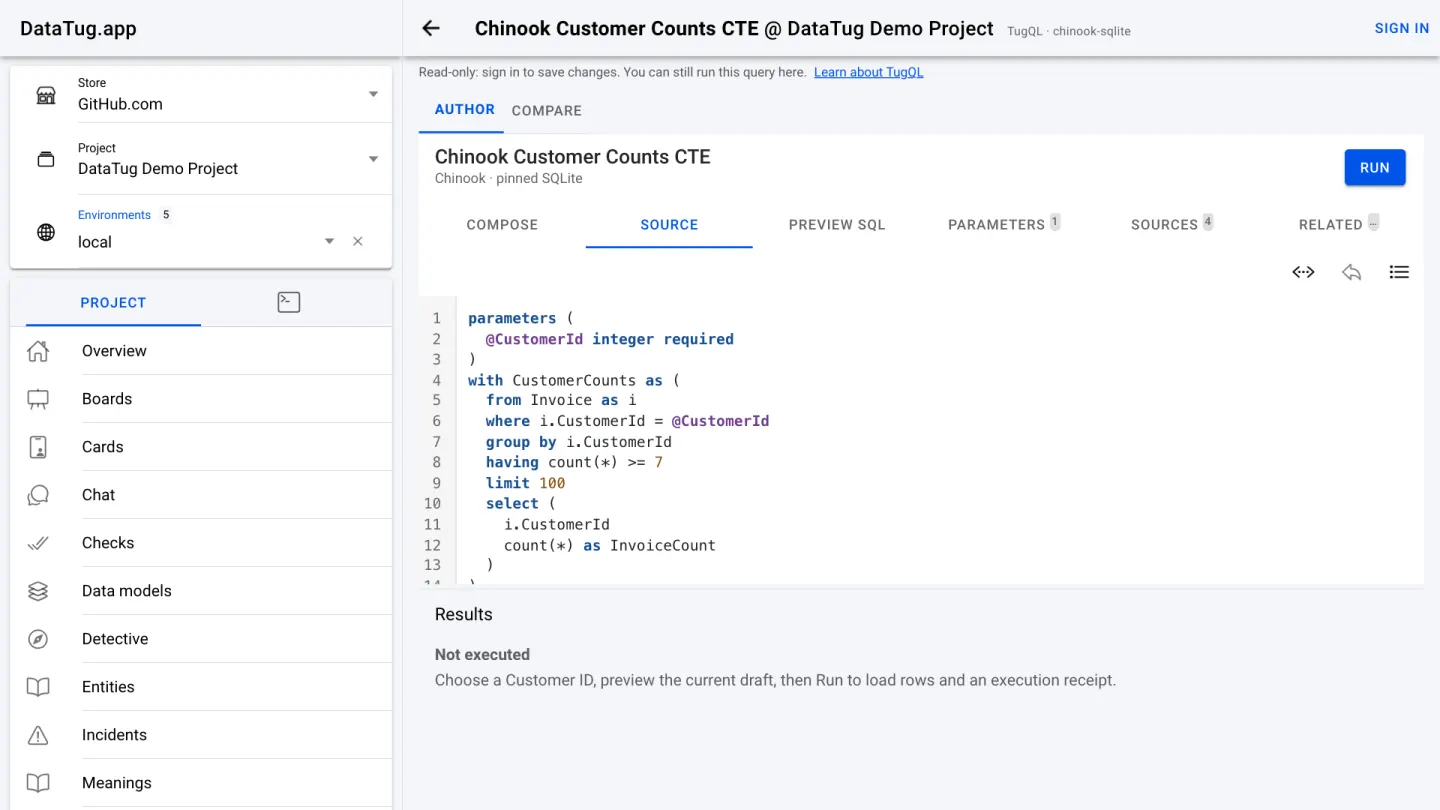
from … select.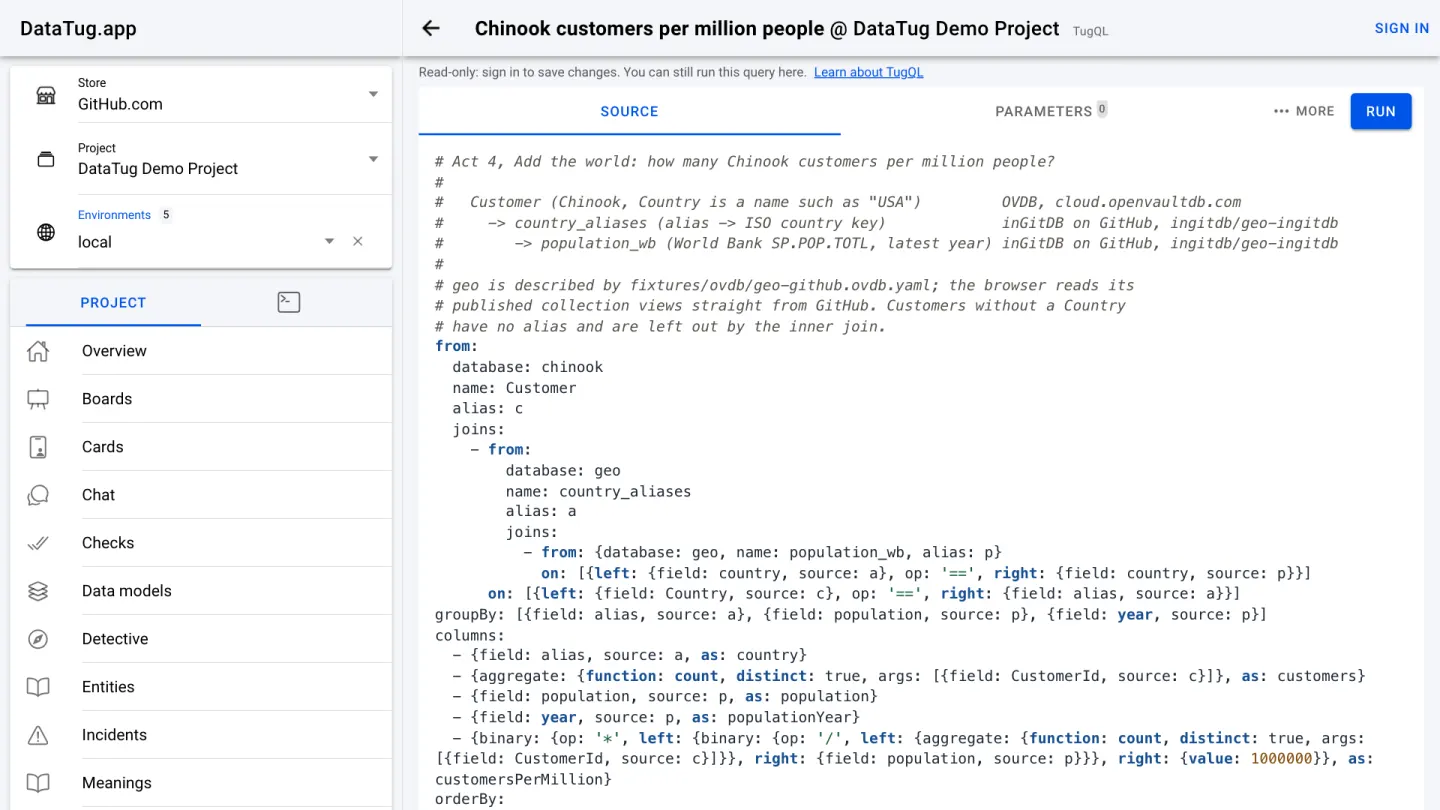
Where a query runs
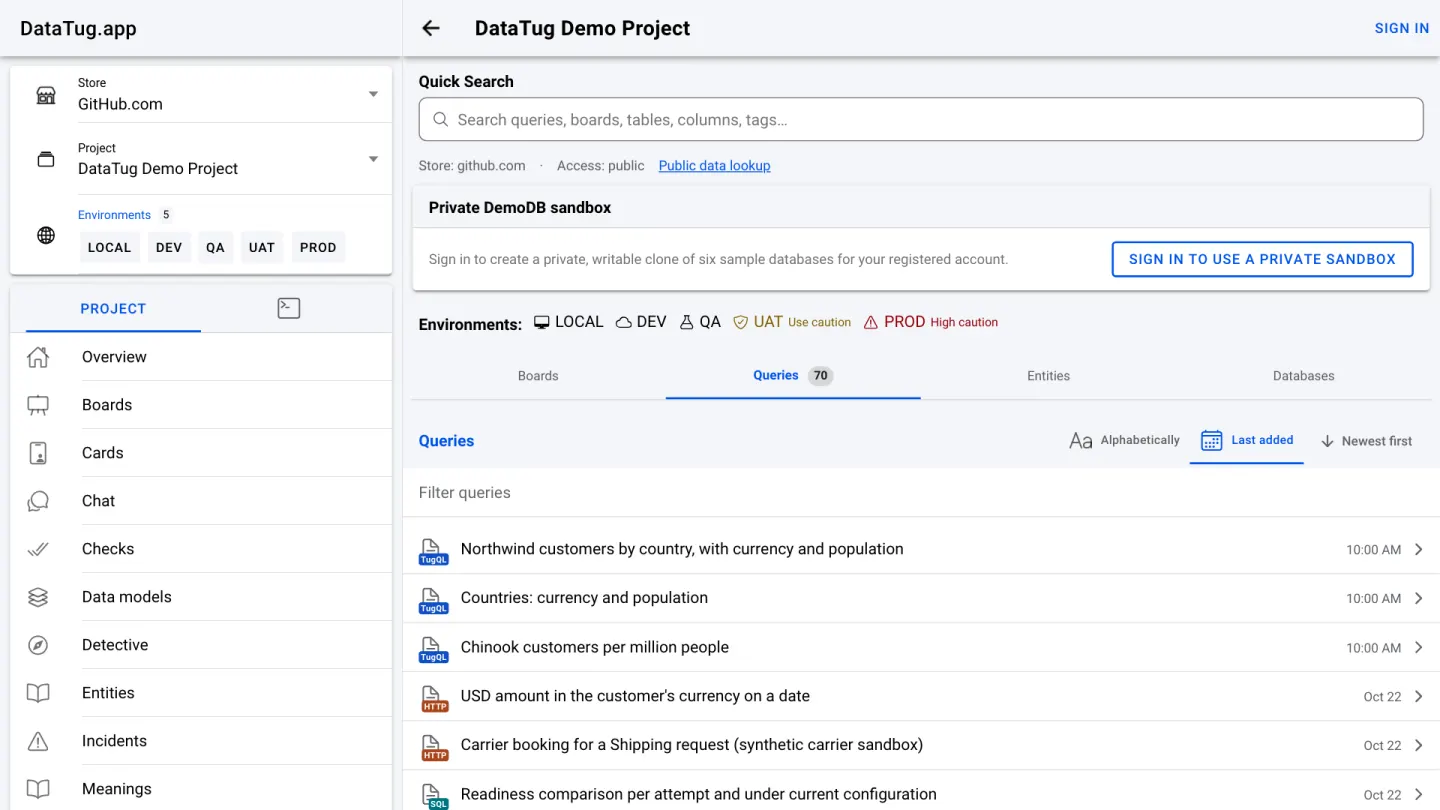
A saved query names a connection, and the connection decides where the query runs. In the demo that means three places.
In your browser, on SQLite
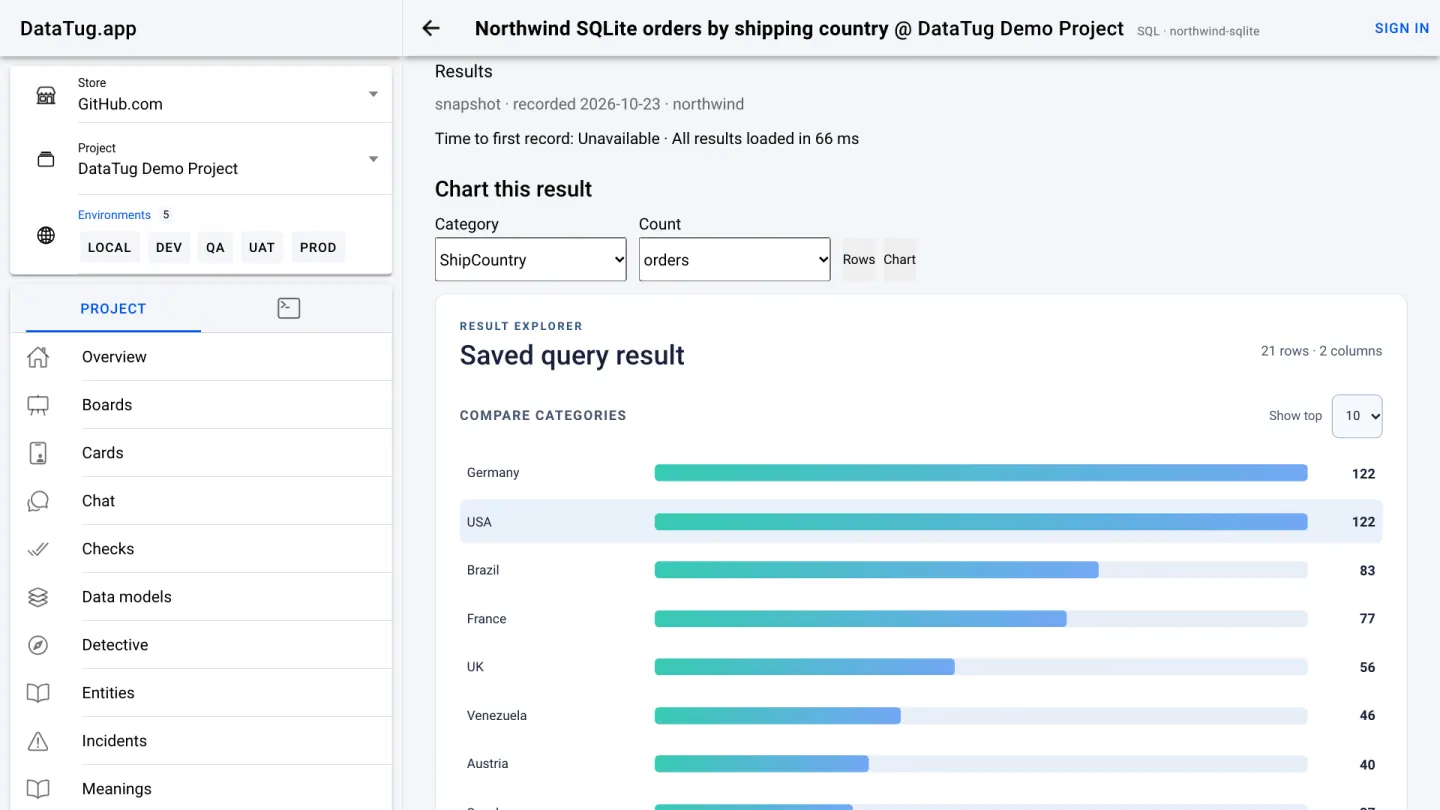
The SQL query in the video, Northwind orders by shipping country, never leaves your browser. The app downloads a pinned SQLite snapshot of the Northwind sample database from DataTug.app itself, checks its SHA-256 fingerprint against the project's pin, and runs the query with SQLite compiled to WebAssembly, in a web worker. The limits are deliberate: one read-only SELECT, a file of at most 10 MiB, at most 1,000 rows and 1 MiB of results. The result is labelled "snapshot" because it comes from that pinned file, not from a live server. Pick a category column and a count column and the result becomes a chart.
On public OpenVaultDB databases
OpenVaultDB (OVDB) gives a database an address, a manifest and a query endpoint. The demo's sample databases, Chinook and Northwind among them, are served read-only by an OVDB server at cloud.openvaultdb.com.
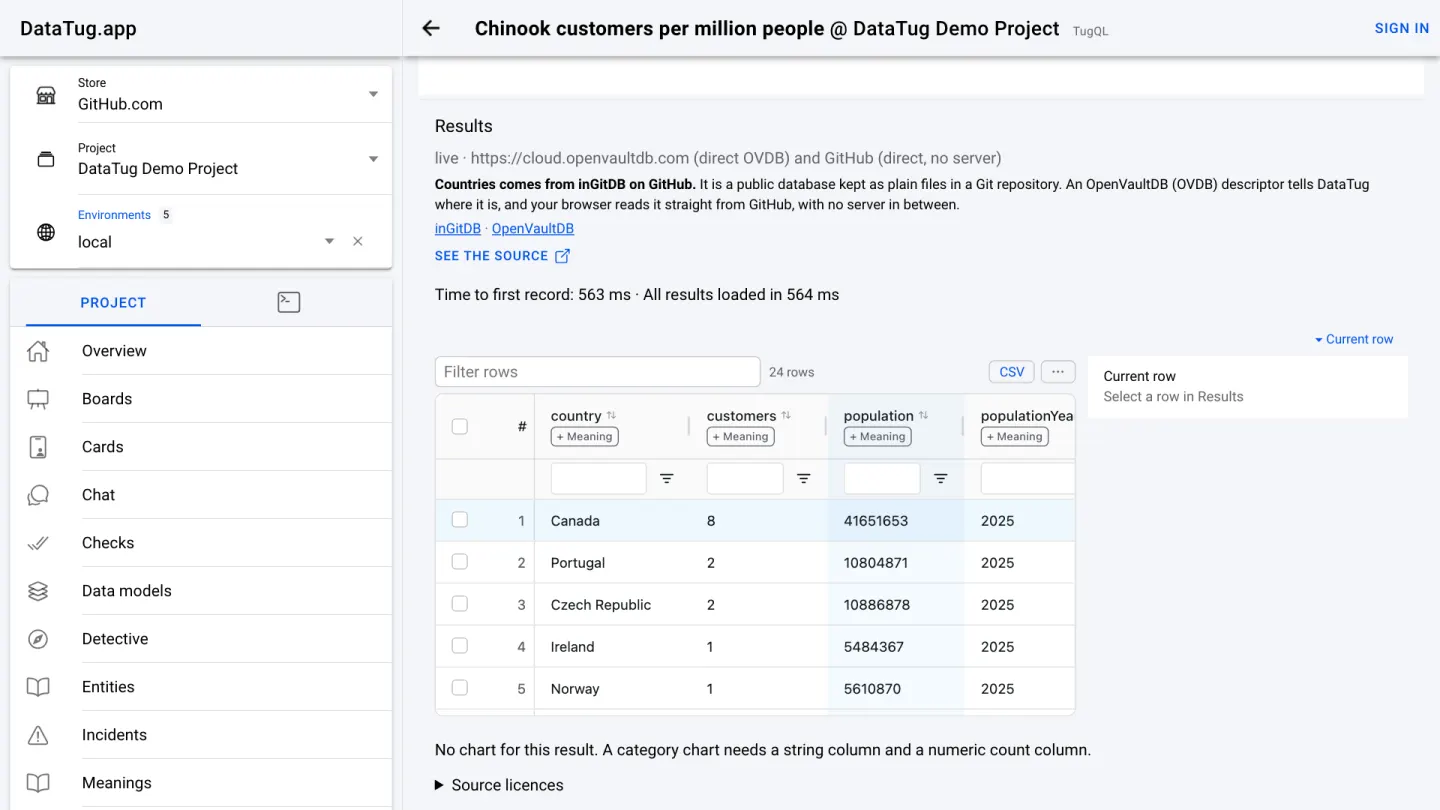
The TugQL query in the video reaches further. It counts Chinook customers per country and joins them to World Bank population figures. The customers come from the OVDB server. The country and population tables come from geo-ingitdb, an inGitDB database kept as plain files on GitHub, which your browser reads at a pinned commit, with no server in between. The app combines the two in your browser, and the result says where each part came from.
On your machine, through a DataTug agent
Some demo queries need a database that only exists on your machine, or credentials that should never reach a web page. Those run through a DataTug agent: clone the repository and run datatug serve --project <path>, and the app talks to it on your own computer. In the hosted demo, a query that needs the agent says so instead of failing.
Boards are saved queries, drawn
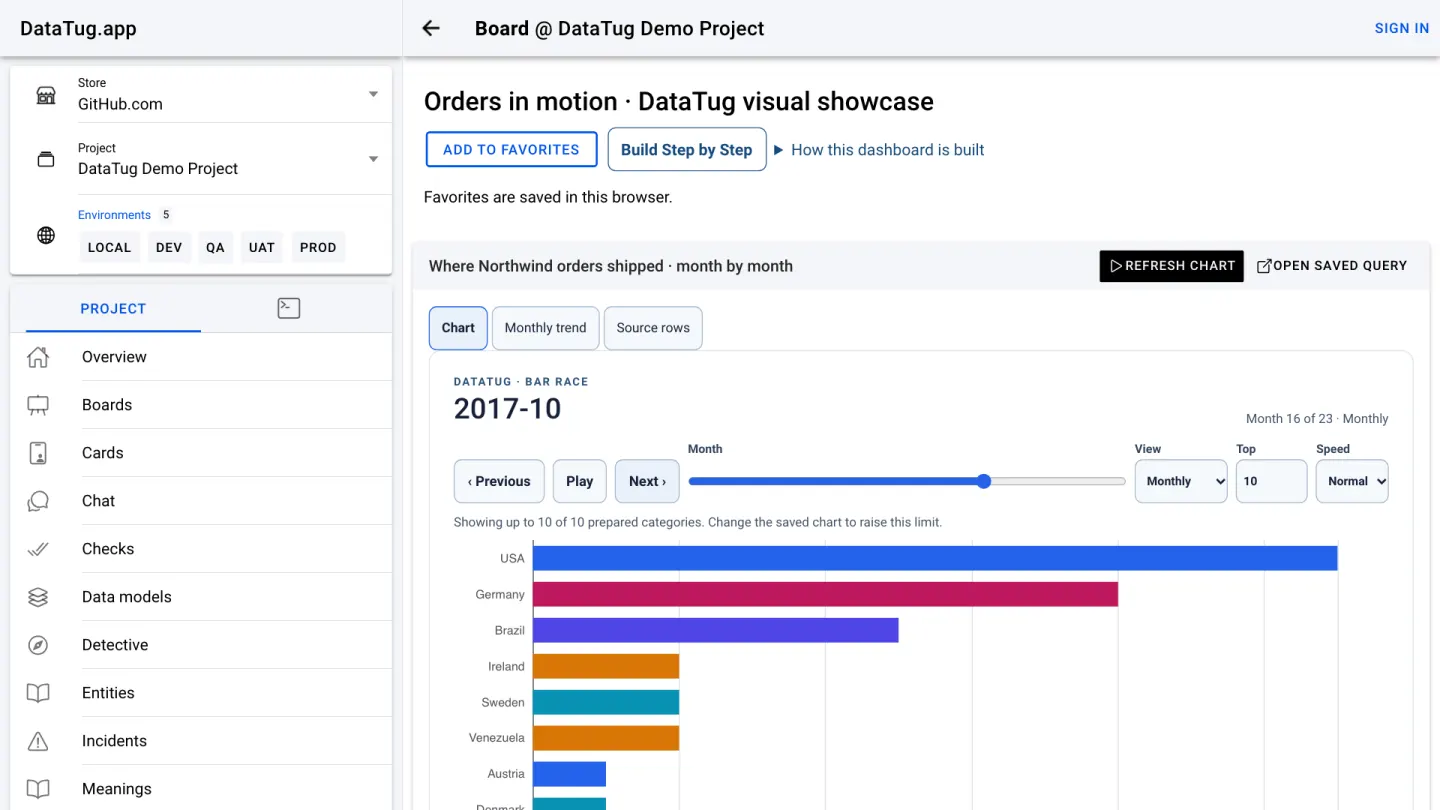
A board is a board.json file: rows of cards, and each card names a saved query and how to draw it. The showcase board in the video reads all 830 Northwind orders, counts them by month and shipping country, and replays them as a bar race. Every card links back to the saved query behind it, so a chart is never a dead end.
Servers and entities: where data lives, and what it means
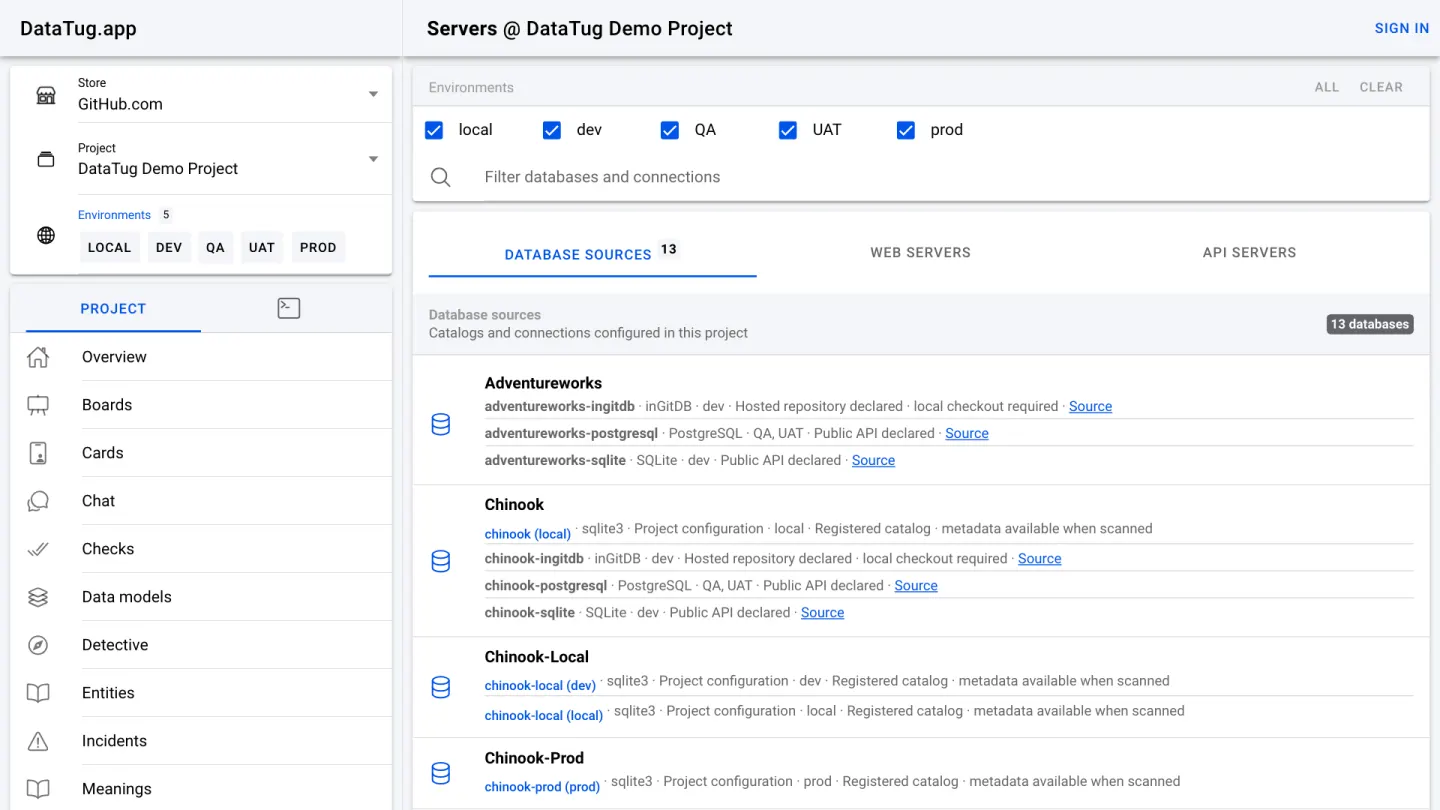
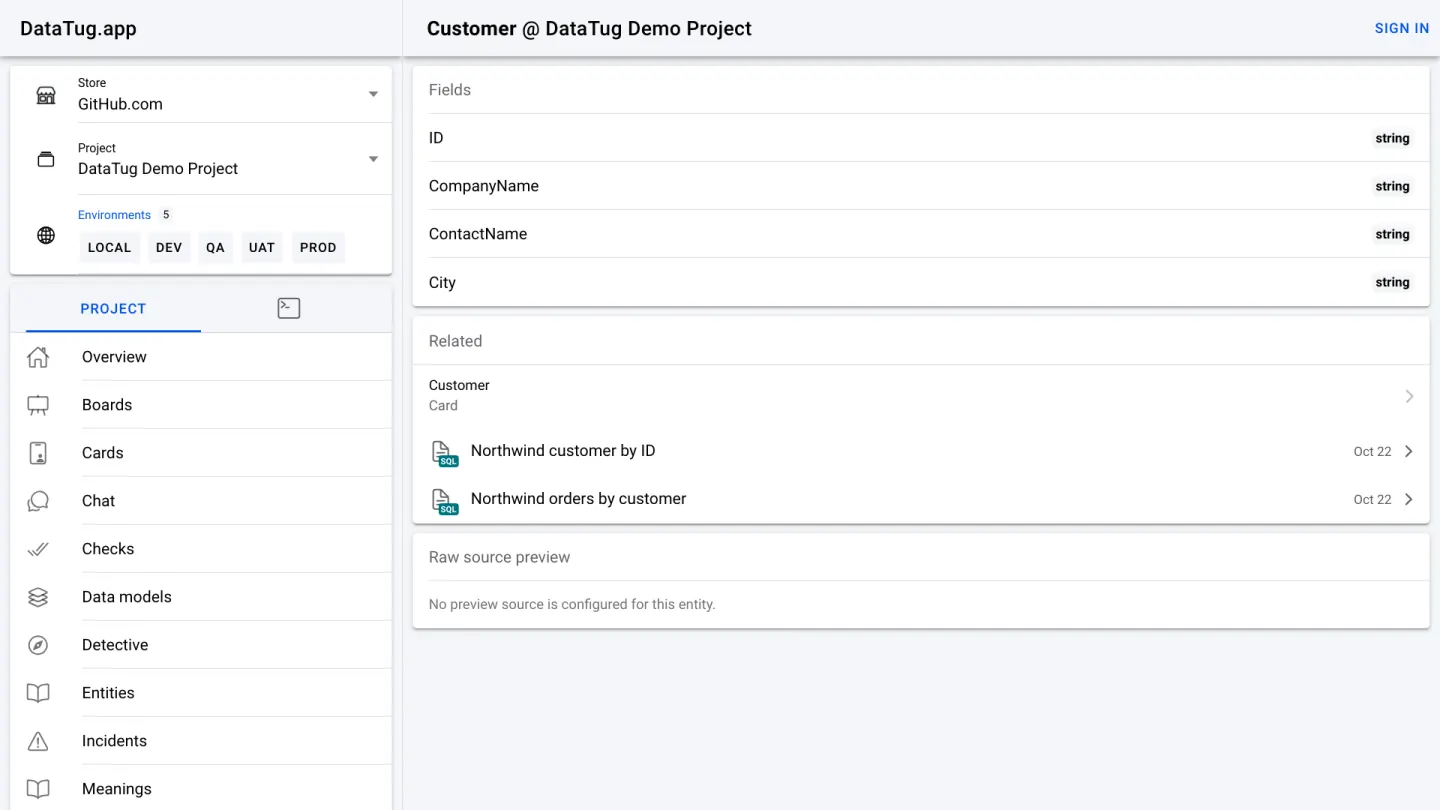
The Servers page lists every database the project declares, per environment: SQLite, PostgreSQL and inGitDB copies of the same sample datasets, and local catalogues for use with an agent. Entities describe meaning rather than storage. The Customer entity names its fields and lists the saved queries that use it, so people and queries share one vocabulary.
The app itself
DataTug.app is an Angular and Ionic application. It runs without Zone.js: components keep their state in signals and tell Angular exactly what changed. The build is a set of static files served from Cloudflare's edge, and every route falls back to the same single page. For every step of this tour, the browser reads the project and its data directly: from GitHub, from the OVDB server, from DataTug.app's own static files (the SQLite snapshot), or from your own agent.
Choices that keep the demo safe
- Read-only without an account. Signed out, the app can open and run the project's queries but cannot save changes to the project, and the demo databases are served read-only.
- Analytics only with consent. Until you accept the analytics banner, no Google host is contacted and no analytics cookie is set. In the video we say no.
- Nothing personal needed. You do not sign in or give an address to use the demo. The sample databases are public datasets whose people are fictional.
- Pinned inputs. The browser SQLite file is checked against its SHA-256 pin, and GitHub files are read at one named commit.